 Unlinked
Ads & promoted posts
Hide promoted posts and sponsored content so your feed is made of real posts.
Free Chrome extension for LinkedIn
Unlinked is a LinkedIn feed cleaner. It hides ads, suggested posts, “liked by” activity and other filler, so you see posts from the people and pages you actually follow.
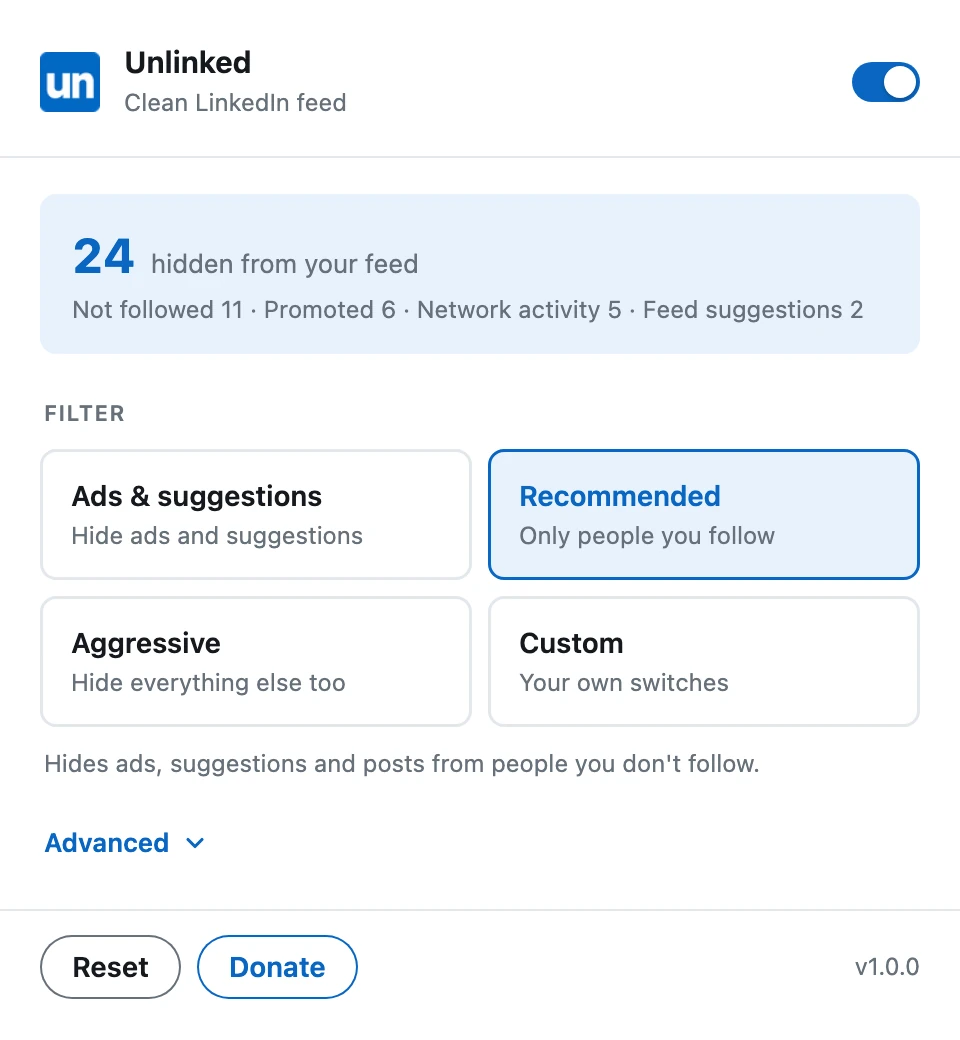
Unlinked is a LinkedIn feed filter that hides the filler and keeps the posts you came to read.
Hide promoted posts and sponsored content so your feed is made of real posts.
Hide LinkedIn’s suggested posts, plus the people and jobs carousels in the middle of the feed.
Skip posts that only appear because someone in your network liked or commented on them.
Hide posts from people and pages you don’t follow, and keep the ones you chose.
Switch off reposts, celebrations, hiring posts, polls and videos, one by one.
Hide the news and puzzles sidebar, your profile sidebar, the messaging pop-up and like and comment counts.
Install it, open LinkedIn and your feed cleans itself up. There is nothing to set up.
Four filters cover most feeds. Change them any time from the toolbar popup.
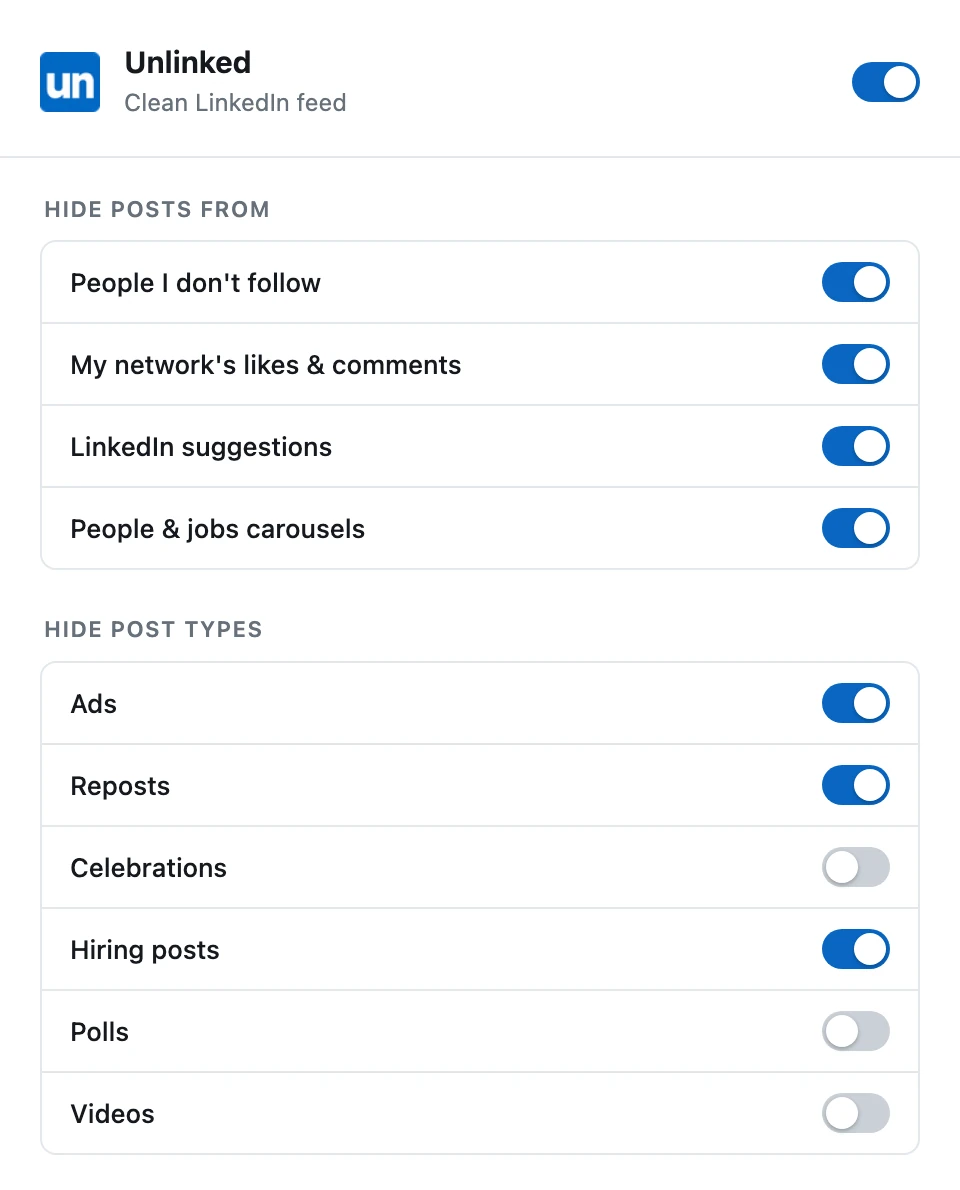
Open Advanced to turn individual filters on or off and tidy up the rest of the page.
Unlinked collects nothing. It only changes what you see in your own browser.
The extension is limited to www.linkedin.com and asks for a single permission: storage.
No accounts, no analytics, no servers. Unlinked sends no data anywhere.
Settings are saved with Chrome sync. Recently seen author names, used for muted-people suggestions, stay on your device.
Short answers about cleaning up your LinkedIn feed with Unlinked.
Unlinked is a free Chrome extension that cleans up your LinkedIn home feed. It hides promoted posts, suggested posts, “liked by” and “commented on” activity and other filler, so the feed shows posts from the people and pages you follow.
Install Unlinked, open linkedin.com and pick a filter from the toolbar popup. Recommended keeps posts from people you follow, Ads & suggestions is lighter, and Aggressive hides everything else. Under Advanced you can switch individual items on or off. Read the full guide to cleaning up your LinkedIn feed.
Yes. The Ads & suggestions filter hides promoted posts and LinkedIn’s suggestions, and you can switch ads and suggestions off separately under Advanced.
Yes. Removed posts leave a thin “N posts hidden” line that you can click to bring them back, and you can turn Unlinked off at any time with the switch at the top of the popup.
No. Unlinked runs only on linkedin.com, works entirely in your browser and sends no data anywhere. Your settings are saved with Chrome sync, and recently seen author names used for muted-people suggestions stay on your device. See the privacy policy.
Unlinked is built for Chrome on desktop. Other Chromium-based browsers such as Edge and Brave can usually install Chrome Web Store extensions, but Chrome is the supported browser.
Yes, it is free to use. If you find it useful, you can support the project by buying me a coffee.
No. Unlinked is an independent project and is not affiliated with or endorsed by LinkedIn.
See only the people you follow. No ads, no suggestions, no filler.